
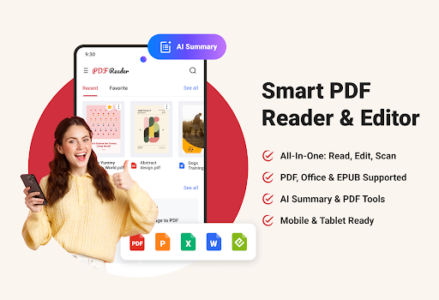
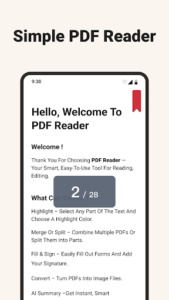
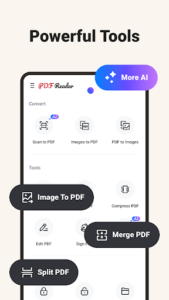
Navigating the complexities of digital documents across various formats can often be a productivity bottleneck. PDF Reader – Reader & Editor emerges as a robust solution, transforming your mobile or tablet into a powerful, all-in-one document productivity center. This application empowers users to effortlessly read, edit, scan, and organize PDFs alongside a wide array of other essential office files. Beyond mere viewing, it offers advanced functionalities like direct page markup, secure digital signing, and the ability to convert physical paperwork into pristine digital copies, further enhanced by built-in AI that intelligently condenses lengthy reports and study materials for rapid comprehension and confident decision-making.
Unified Document Hub
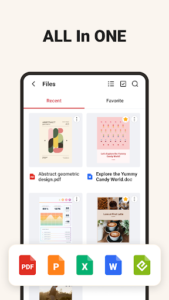
The platform centralizes all your essential documents, eliminating the need to switch between multiple applications for different file types. With this application, users can seamlessly open and manage PDFs, Word documents, Excel spreadsheets, PowerPoint presentations, and even EPUB files from a single, convenient location. This integrated approach significantly streamlines workflow, allowing for quick access and comprehensive handling of diverse office files directly on your mobile device or tablet, ensuring all your work materials are always within reach and perfectly organized.
Intuitive Editing Tools
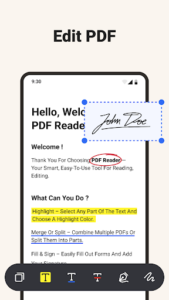
Beyond simple viewing, this powerful tool equips you with a suite of intuitive features for active document interaction. Users can effortlessly mark up pages with highlights, annotations, and notes, making revisions and collaborative feedback straightforward. Crucially, the app facilitates secure digital signing of paperwork directly on your device, simplifying administrative tasks and accelerating approval processes without the need for printing or scanning. This capability ensures that critical documents can be reviewed and acted upon efficiently, regardless of your location.
Smart Document Scanning
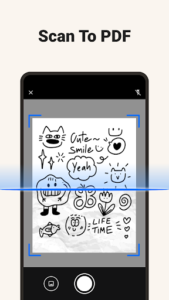
Transforming physical documents into high-quality digital assets is a core strength of the experience. The built-in scanning functionality allows you to use your device’s camera to capture paper documents, receipts, or whiteboards, converting them into crisp, clean digital PDF copies. This feature is invaluable for digitizing important records, archiving physical paperwork, or sharing information quickly and clearly. The intelligent processing ensures that scanned documents are optimized for readability, making them perfect for storage, editing, or immediate distribution.
AI-Powered Summarization
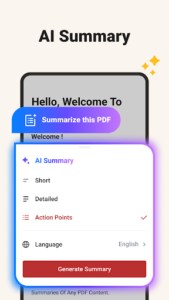
A standout feature of this productivity application is its integrated artificial intelligence, designed to enhance information consumption. This intelligent assistant can condense lengthy reports, academic papers, or extensive study materials into concise summaries, highlighting the most critical points and insights. This capability dramatically reduces the time spent sifting through vast amounts of text, enabling users to grasp essential information faster and make informed decisions with greater confidence. It’s an invaluable asset for students, professionals, and anyone needing to quickly absorb complex content.
Seamless Mobile Productivity
Designed for the demands of modern mobile work, the app ensures that productivity is never tethered to a desktop. Its streamlined interface and robust organization tools allow users to manage their document library efficiently, whether creating new folders, renaming files, or searching for specific content. This comprehensive approach to document management on mobile or tablet devices means that you can maintain a high level of efficiency and control over your work, turning any location into a productive workspace.













Write a review